Path of Exile 2 passive tree planner
Keys
- / search · Enter next hit
- L keystones and notables
- 0 Fit, the whole tree · F Fill
- + − zoom · arrows pan
- A ascendancy · X swap sets I and II
- 1 2 3 Str, Dex, Int on a taken node
- Ctrl+Z undo · Ctrl+Y redo · Esc close
Keystones and notables
Art and data
Tree data and art (icons, frames, lines, mastery patterns, the centre ring and class pictures): Grinding Gear Games. Two Ritualist nodes the game data gives no icon (Devotion to the King, Movement Speed) show a Lockit glyph in the game's frame. Names, marks (search and chosen rings, weapon-set badges, attribute letters) and controls: Lockit.
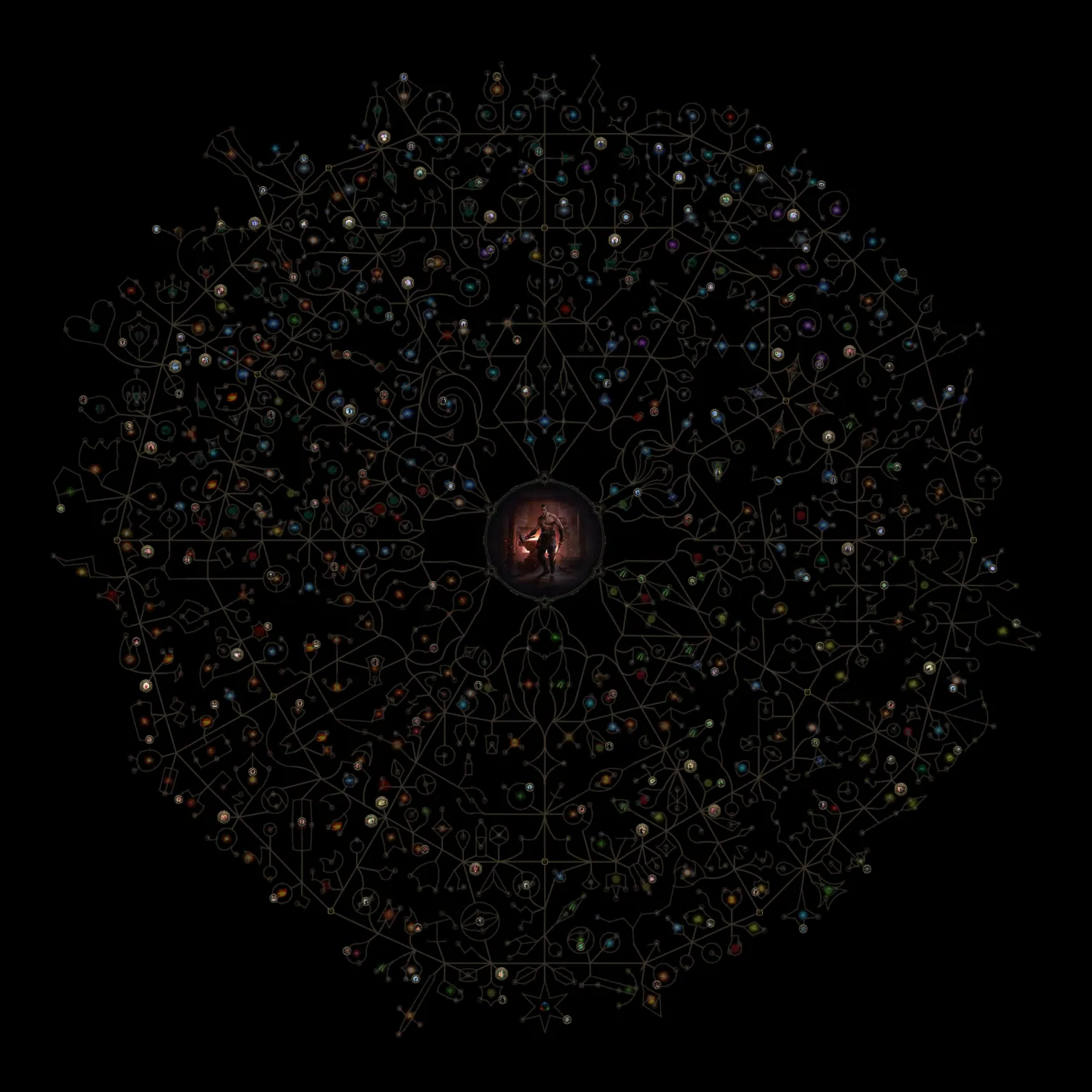
- The exact in-game tree The game's 0.5.5 tree data: every node at its x,y, every arc on its stored centre.
- Editing on a phone Tap to preview, tap again or "Take" to spend; Undo and Redo always in the dock.
- No ads, no login No ads, no login, nothing stored on your device.
- Search Every hit lit, "12 of 354", Enter for the next.
- Shortest path The path, its point count and what it gives, before you spend.
- Undo and redo 200 steps; Ctrl+Z, Ctrl+Y.
- Share link The plan lives in the page link; old links still open.
- Two weapon sets Shared, I and II with their counts; I / II tabs and dashes on the map; a View filter; X swaps; a colour-safe setting.
- Ascendancy All 22 plus Abyssal Lich, shown in the centre or in place; choice nodes cost one point; the Oracle nodes open with The Unseen Path.
Not yet
- Jewel sockets Sockets can be taken; jewel radius rings come after launch.
- Import a build code Paste a code on the Build page today; on the tree page after launch.
- Links from pobb.in and other sites Not planned for now. Copy the code and paste it on the Build page.
- Import a character from your account Not planned for now: it needs a sign-in with your game account.
- Atlas tree Not on this page. The Atlas comes later, on the Endgame page.
- Languages English only at launch; more languages may come after launch.
Keys
/ search · Enter next hit · L keystones and notables · Ctrl+Z undo · Ctrl+Y redo · + − zoom · 0 Fit, the whole tree · F Fill, as wide as the screen · A ascendancy · arrows pan · X swap set I and II · 1 2 3 Str Dex Int · ? keys · Esc close
Numbers
Every number shows its sum. With a build loaded, a node shows its numbers before and after, worked out by the engine in your browser. Notices and licences
Weapon sets
Set nodes carry an I or II tab and a dashed line, so the colour is never the only cue. Points = shared + the larger set. The set colours may not match the game's own colours.
Tree data and art: Grinding Gear Games (i: details).
Tree 0.5.5
All game data belongs to Grinding Gear Games. Notices and licences
Engine: waits for a class or a build
Loading the tree
What this is
The Path of Exile 2 passive tree, 0.5.5, drawn from the game's own tree data. Plan a build: pick a class, tap a node to see the path to it and what it costs in points, then take it. Your plan lives in the page's link, so nothing is stored and the link is the whole build.
How to use it
- Pick a class, then an ascendancy if you want one. The tree flies to your start.
- Tap a node: its text, the path to it and the point cost show before anything is taken. Tap again, or Take, to spend the points.
- Search with the box or the / key: every node that matches lights up, and Enter steps through them.
- Weapon sets: send new points to Shared, set I or set II. X swaps the two sets.
- Undo and redo up to 200 steps. Copy the address to keep or share the plan.
Classes
Ascendancies
Keystones
- Ancestral Bond
- Avatar of Fire
- Blackflame Covenant
- Blood Magic
- Bulwark
- Chaos Inoculation
- Conduit
- Crimson Assault
- Dance with Death
- Eldritch Battery
- Elemental Equilibrium
- Eternal Youth
- Giant's Blood
- Glancing Blows
- Heartstopper
- Hollow Palm Technique
- Iron Reflexes
- Lord of the Wilds
- Mind Over Matter
- Necromantic Talisman
- Oasis
- Pain Attunement
- Primal Hunger
- Resolute Technique
- Resonance
- Ritual Cadence
- Scarred Faith
- Trusted Kinship
- Unwavering Stance
- Vaal Pact
- Whispers of Doom
- Wildsurge Incantation
- Zealot's Oath
Tree 0.5.5
All game data belongs to Grinding Gear Games. Notices and licences
Tree data and art (icons, frames, lines, mastery patterns, the centre ring and class pictures): Grinding Gear Games. Two Ritualist nodes the game data gives no icon (Devotion to the King, Movement Speed) show a Lockit glyph in the game's frame. Names, marks (search and chosen rings, weapon-set badges, attribute letters) and controls: Lockit.